 Wasiq Khan

Hiring the wrong developer is one of the most expensive mistakes a business can make with its website. It’s not just the money you pay them. It’s the missed deadlines, the site that’s slow or hard to edit, and often a second developer to fix or rebuild it. If you’re working out how to hire a WordPress developer, a few good questions up front will tell you far more than a polished sales pitch.
Here are the ten questions I’d ask if I were in your position, what a good answer sounds like, and the red flags to watch for.
Before you start: freelancer, agency or marketplace?
There are three common ways to hire a WordPress developer, and each suits a different kind of project:
| Option | Good for | Watch out for |
|---|---|---|
| Freelancer | Small and medium business sites, stores and redesigns. Direct contact with the person doing the work. | Make sure they have a clear process and cover for support. |
| Agency | Large projects that need a team: strategy, design, copywriting and development together. | Higher prices, and you may not speak to the developer directly. |
| Marketplace (Upwork, Fiverr) | Small, well-defined tasks. | Quality varies widely. Check real work, not just star ratings. |
Whichever route you choose, the same questions apply.
10 questions to ask before you hire a WordPress developer
1. “Can I see live websites you’ve built?”
Screenshots and mockups can be polished in any design tool. Live sites show the real thing. Open two or three on your phone, click around and fill in a form. Then run one through Google’s PageSpeed Insights to see how fast it is.
Red flag: only screenshots, or “my previous work is under NDA” for everything.
2. “What will you build it with, and why?”
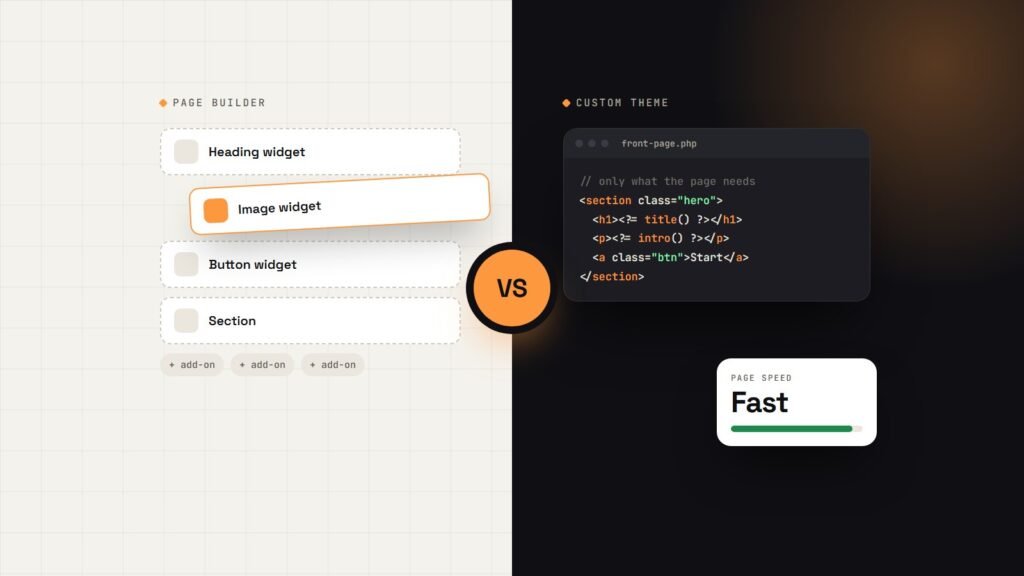
A good developer will explain whether they plan to use a custom theme, a ready-made theme or a page builder like Elementor, and why that fits your business. There’s no single right answer, but there should be a reason. I explain the trade-offs in Elementor vs a custom WordPress theme.
Red flag: they use the same heavy theme and a stack of plugins for every client, whatever the project.
3. “What exactly is included in the price?”
Ask for the scope in writing: number of pages, features, rounds of revisions, content upload, basic SEO, mobile testing and launch. A fixed quote with a clear scope protects both sides. If you want to know what’s normal, see how much a WordPress website costs.
Red flag: a single number with no breakdown, or an hourly rate with no estimate.
4. “Who will own the website, domain and hosting?”
You should. The domain, hosting account, WordPress admin access, theme files and any licences should be in your name or handed over at launch. This matters most when something goes wrong or you want to change developers later.
Red flag: the developer keeps the domain or hosting “to make things easier”.
5. “How will the site be made fast and found on Google?”
Speed and basic SEO should be part of the build, not an expensive add-on later. Listen for things like image optimisation, caching, clean page titles and meta descriptions, a sitemap and mobile-first design.
Red flag: “We can look at SEO after launch” with nothing included now.
6. “What does your process look like?”
You want to hear clear steps: a discovery call, a plan, design, a private staging site where you can see progress, testing, then launch. Ask how often you’ll get updates and how feedback works.
Red flag: no staging site, and the first time you see the website is when it’s live.
7. “How long will it take, and what do you need from me?”
A typical small business site takes two to five weeks. The biggest cause of delays is usually content: text, photos and logos. A good developer tells you exactly what they need and when.
Red flag: a promise of a full custom website in three days.
8. “Will I be able to edit the site myself?”
You shouldn’t need a developer to change your opening hours or add a blog post. Ask how editing works and whether you’ll get training or a short video guide.
Red flag: every small change needs to go through them, at an extra cost.
9. “What happens after launch?”
Websites need updates, backups and the occasional fix. Ask whether support is included for a period after launch, and what ongoing website maintenance costs. You’ll find a full breakdown in what WordPress maintenance includes and costs.
Red flag: they disappear after the final invoice.
10. “How do payments work?”
A common and fair setup is 50% to start and 50% before launch, or milestones for larger projects. Every payment should come with a proper invoice.
Red flag: 100% up front for a large project, or pressure to pay before a scope is agreed.
Signs you’ve found a good developer
- They ask about your business, customers and goals before they talk about technology.
- They explain things in plain language, without jargon.
- They’re honest about what you don’t need, even if it means a smaller invoice.
- They reply clearly and on time during the quote stage. This is usually how they’ll communicate during the project too.
- Past clients are happy to vouch for them.
How to compare quotes fairly
When you have two or three quotes, don’t just compare the totals. Put them side by side and check what each one includes: pages, design, speed, SEO, training, support and who owns what. The cheapest quote often leaves out the things you’ll pay for later. The most expensive isn’t automatically the best either. Pick the developer whose scope, process and communication give you the most confidence.
FAQs
How much does it cost to hire a WordPress developer?
For a small business website, most freelancers charge somewhere between $500 and $5,000, depending on design, pages and features. Agencies usually charge more. Hourly rates vary a lot by experience, so a fixed project quote is easier to compare.
Should I hire a freelancer or an agency?
For most small and medium business sites, an experienced freelancer offers the best value and direct communication. An agency makes more sense for large projects that need a full team.
Can I hire a WordPress developer remotely?
Yes. Most WordPress work is done remotely. Calls, a shared project plan and a staging site make it easy to work with a developer anywhere, as long as they communicate clearly and are available during your working hours when it matters.
What should I prepare before contacting a developer?
A short list of what the site needs to do, examples of websites you like, your rough budget and timeline, and any content you already have. Even a few bullet points make the first conversation much more useful.
Looking for a WordPress developer?
I build fast, custom WordPress websites for businesses and agencies, with a fixed quote, a clear process and a site you own and can edit yourself. You can see my recent projects, or read more about my WordPress development service, which starts from $499.
Hire a WordPress developer for your business → I’ll answer all ten of these questions for you, with a clear plan and fixed quote, usually within 24 hours.